Menu

Microsoft Word Series Virtual Classes
2023-01-05 14:00:00
2023-01-05 15:30:00
America/New_York
Microsoft Word Series Virtual Classes
Free virtual computer classes. Learn how to create/edit docs, format text, insert headers & footers, create PDFs, etc. Attend one class or the entire series. Register 12/13/22 to get a Zoom link.
Virtual Zoom -
Thursday, January 05
2:00pm - 3:30pm
Free virtual computer classes. Learn how to create/edit docs, format text, insert headers & footers, create PDFs, etc. Attend one class or the entire series. Register 12/13/22 to get a Zoom link.
Dates, times, and topics:
- Tuesday, January 3, 2023, 2-3:30 pm: Ribbon; Backstage Views, Opening and Creating Documents/PDFs
- Wednesday, January 4, 2023, 2-3:30 pm: Formatting Text & Paragraphs, Creating Lists
- Thursday, January 5, 2023, 2-3:30 pm: Setting up Word Docs and Columns, Hyperlinks, Header & Footer
- Monday, January 9, 2023, 2-3:30 pm: Pictures and Text Wraps, Text boxes, Tables, and Charts
- Tuesday, January 10, 2023, 2-3:30 pm: Indents and Tabs, Review Word Docs by comments, track changes
- Wednesday, January 11, 2023, 2-3:30 pm: Mail Merge Create letters, labels, and envelopes for mass mailings
This program is presented on Zoom. Once registered, you will receive an e-mail with the participation weblink on the day of the program. Please contact the Library if you registered but are unable to attend. If you do not have an e-mail address, please create a free account or contact TechZone@Main at 330.643.9145 for assistance. A webcam and microphone may be necessary to participate fully in this interactive event. Your participation may be limited if you have one or neither of these.
For more assistance or further reading, check out these resources:
- Microsoft Word 2016: Step by Step by Joan Lambert
- Word 2016 For Dummies by Dan Gookin
- To get 1ON1 help with Microsoft Word questions, please click on this link to schedule an appointment with one of our staff members.
- Click here to view a complete list of upcoming computer and technology classes at the Library.
AGE GROUP: | Adults |
EVENT TYPE: | Virtual Program | Job Skills & Career | Computers & Technology |
Main Library
Hours
About the branch
Drive-up Window closes fifteen minutes before the building closes for the day.
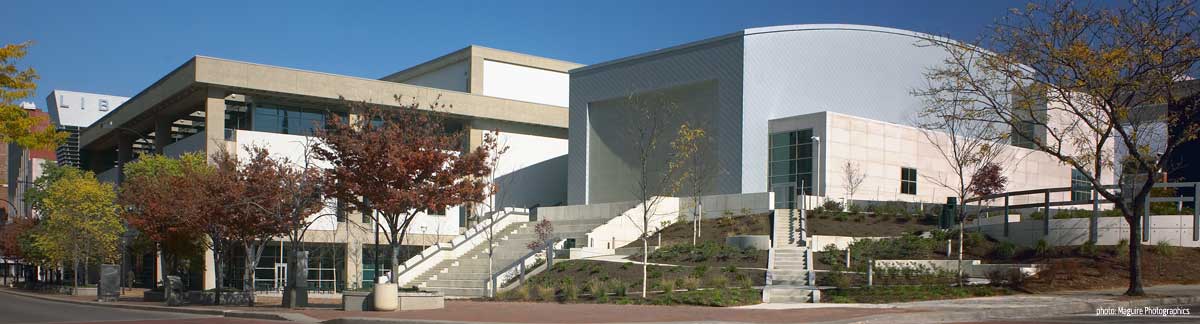
Main Library, located in the heart of downtown Akron, combines compelling public space with meaningful and relevant public library services for all members of our community. Since opening in 2004, the downtown library welcomes more than one million visitors each year.
Subject divisions include: Business, Government & Science, Culture & AV, Magazines & Newspapers, Special Collections (local history & genealogy), TechZone@Main, Teen, and a 12,000 square feet Children's Library.
Special services available at Main Library include: a Patent & Trademark Resource Center; U.S. Passport and Notary services; a Microbusiness Center; a Maker Space; a resource lab for early childhood educators; and regularly scheduled computer training classes. Also available at Main Library are more than 125 public access computers, color photocopiers/printers, laminating, scanning, faxing, and free Wi-Fi.
Specialized spaces include a 425-seat auditorium, public meeting rooms, and a used bookstore. An interior glass block walkway leads to a 600-space parking garage owned by the City of Akron. An outdoor amphitheater and landscaped park complete the complex.