Menu

Microsoft Excel Series
Thursday, April 25
2:00pm - 3:30pm
Main Library
Computer Lab 1Free hands-on computer classes. Learn about Microsoft's spreadsheet program Excel. Attend one class or all nine classes in the series. Registration is required and begins Mar 19th.
Register online, in person, or by phone at 330.643.9145.
This program requires registration.
- Excel 1 (Opening & Creating Workbooks): Tuesday, April 9 – 2 pm
- Excel 2 (Formatting, Modifying Workbooks and Worksheet Basics): Thursday, April 11 – 2 pm
- Excel 3 (Setting up Workbook and Intro to Formula): Tuesday, April 16 – 2 pm
- Excel 4 (Review Excel 1-3 and Intro to Functions): Thursday, April 18 – 2 pm
- Excel 5 (Naming Cells, Conditional Formatting and Sorting/Filtering Data): Tuesday, April 23 – 2 pm
- Excel 6 (Creating Custom Lists and Intro to Charts): Thursday, April 25 – 2 pm
- Excel 7 (Review Excel 4-6 and Protecting Worksheets/Workbooks): Tuesday, April 30 – 2 pm
- Excel 8 (MS Excel Pivot Table – learn how to make complex sets of data more comprehensible and easier to understand at a glance): Tuesday, May 7 – 2 pm
- Excel 9 (MS Excel IF and VLOOKUP Functions – IF function runs a logical test; VLOOKUP is a function that makes Excel search for a certain value in a column): Tuesday, May 21 – 2 pm
Please cancel if you cannot attend the class after registration. You can do so online via the email confirmation received at the time of registration or by calling Electronic Services Division at 330.643.9145.
For more assistance or further reading, check out these resources:
- "Microsoft Excel 2016: Step-by-Step" by Curtis Frye
- "Microsoft Excel 2016 Bible" by John Walkenbach
- Excel 2016 Pivot Table Data Crunching by Bill Jelen, Michael Alexander
- Microsoft Excel 2019 Formulas and Functions by Paul McFedries
To get 1 on 1 help with Excel questions, please click on this link to schedule an appointment with one of our staff members.
Click here to view a complete list of upcoming computer and technology classes at the library.
AGE GROUP: | Adults |
EVENT TYPE: | Job Skills & Career | Computers & Technology |
Main Library
Hours
About the branch
Drive-up Window closes fifteen minutes before the building closes for the day.
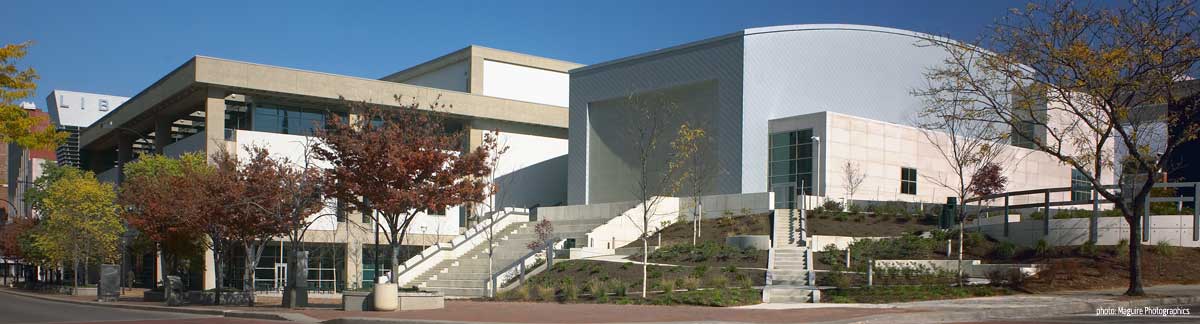
Main Library, located in the heart of downtown Akron, combines compelling public space with meaningful and relevant public library services for all members of our community. Since opening in 2004, the downtown library welcomes more than one million visitors each year.
Subject divisions include: Business, Government & Science, Culture & AV, Magazines & Newspapers, Special Collections (local history & genealogy), TechZone@Main, Teen, and a 12,000 square feet Children's Library.
Special services available at Main Library include: a Patent & Trademark Resource Center; U.S. Passport and Notary services; a Microbusiness Center; a Maker Space; a resource lab for early childhood educators; and regularly scheduled computer training classes. Also available at Main Library are more than 125 public access computers, color photocopiers/printers, laminating, scanning, faxing, and free Wi-Fi.
Specialized spaces include a 425-seat auditorium, public meeting rooms, and a used bookstore. An interior glass block walkway leads to a 600-space parking garage owned by the City of Akron. An outdoor amphitheater and landscaped park complete the complex.